Showing posts with label programming. Show all posts

Saturday, 28 May 2022

First Release of Facebook Advert Builder

Ready To Try Out

I've managed to pull enough of the software stack together to release the first version of my Facebook (or other Social Media) Advert Builder. It's available to download from my business website at www.davidkinrade.com and is free for anyone to download and use.

It has been designed to be as simple as possible, with drag-and-drop for any images (with buttons if you prefer) and sliders to position anything on the screen. Basically, you create a series of styles for your layouts that are consistent with your business style. These styles have a couple of foreground objects that will overlay your product or promo image. You can create different style shapes for square, portrait and landscape orientations.

Once you have some styles defined (and you may need a bit of help with the creation of suitable PNG files for this), you can then start to create new adverts. Add your product image and then type any text that you need. You can also add an unlimited number of splash objects - little graphical highlights like the star below. These can be positioned and sized to fit with your photo and layout.

I've added range of basic photo effects for you to try - just a bit of blurring, greyscale conversion and pixelization. You can also specify an overlay colour and play with the transparency to create sepia-tone and similar effects. Mix and match to see what you can come up with.

Finally, there are potions for creating a final output. You can make a PDF, JPG or PNG file and then upload to Facebook our any other platform that you might use.

This is the main screen while editing an image-based advert

This is adding and positioning a splash image to the main advert layout

This is the Style editor, where the basic style layouts are created.

Unfortunately, the manual for the program isn't finished yet - the link will open an empty PDF file. I'm starting to work on it, but don't want to go too far until I have finalized any layout changes I may want to make and fixed a few more minor bugs.

Stay Tuned!

Thursday, 19 May 2022

Summer Mornings and Productivity

Summer Mornings

I've always tended to need only about six hours of sleep and I'm a fairly broken sleeper - I wake many times in the night and turn over. I do sometimes feel the benefit of getting a good eight hours, but can quite happily get by with less.

This pattern is exacerbated in the summer months. As the days get longer and the light evenings and - particularly - mornings draw out, I find I can't sleep as long as I can in the darker months of winter. If I wake at 5am, like I did this morning, then I struggle to go back to sleep and find myself getting up and wishing to use the time productively.

Often, this finds me sitting at my desk and working on whatever coding project I'm currently thinking about - or watching YouTube!

Productivity

This month's project is to try and make a Facebook Advert Generator, following a suggestion from Richard at DW Cars. It's surprising just how much benefit can be gained from a consistent approach to any online advertising - identity and consistency are vitally important here. You need to engage your audience and then become recognisable with each new view.

What I'm trying to do with this simple app is to help with that consistency by providing a template-based framework within which adverts that are as similar as possible in look and feel can be created very quickly with minimal input or effort.

I find that, working for a couple of hours - maybe between 6 and 8 in the morning - I can get a lot of work done in that short and otherwise wasted period between sleep and going out to work. These days I'm not the sort of coder who can spend ten hours of concentrated effort on a task, so a couple of hours at the most now seems to suit me well.

I'm not going to charge for this once it is done. I'll revisit it when it is complete and include a download link to the app and the manual when it's production ready. That will be a few days away at least - I still have to implement the splash objects and photo effect options yet and then decide how to handle PDF output for exporting to other media.

Saturday, 26 February 2022

Another New Website - DWCars.info

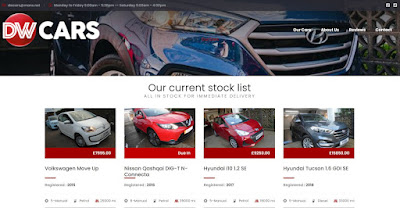
Here's another new website - this time a major update for the most popular site in the portfolio that I manage, with more than a million hits to the previous iterations of the site. Like many others at the moment, Richard at DW Cars felt that their website needed a better reach and a more mobile-friendly nature. Once again, I turned to a pre-built template as the basis for the site and then heavily modified it within the framework provided to achieve our aims.

Compared to the site constructed for Hearth, this is a much more involved and complicated undertaking, just the list of software required is a testament to that, as is the amount of time involved in the creation and testing of the combined systems necessary.

Graphics and Video: Serif Drawplus X8, Adobe Photoshop CC, Paint.NET, Adobe Premiere Pro.

Web Code: Microsoft Expression Web, Atom, Windows Notepad.

Web Tools: FileZilla, Opera Browser.

Development: Anywhere Software's B4J, Java 14, InnoSetup Compiler, DB Browser (SQlite), JavaFX SceneBuilder by Gluon.

So, the big difference here is the database application that now sits on Richard's PC and manages the content and updates of the site. All the stock is entered into the database and then the software can build all the pages quickly and cleanly. This ensures that they remain consistent and error free. As an added bonus, the same software can create a datasheet for each vehicle and make that available as a PDF file that can be emailed to a customer or printed out as a handout.

I've always been a fan of offline website management - believe-it-or-not, the coding is simpler than trying to do the same thing online and I find that any changes are quicker and easier to implement and deploy.

I use a RAD environment called B4J. It uses a BASIC language dialect and form layout files to create an application that is ultimately compiled to the JAVA language, but the code is simpler to understand and quicker to implement. This JAVA application is then packaged as a windows program and deployed to the client's computer.

The program provides a front-end to a SQLite database that provides speed and resiliency for the data and allows a single file to store the entire website - something that makes backups a breeze. Adding a new vehicle becomes a simple case of ticking a few boxes and dragging some photos into a window.

Sunday, 6 February 2022

Back to Websites

After a long period of inactivity on the website design and publishing front, I'm finally back in the production saddle, with a couple of projects being worked on at the moment.

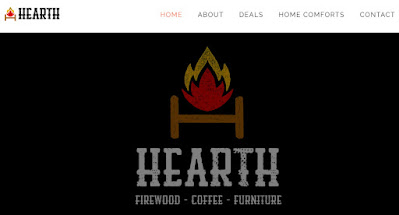
I'm delighted to be helping www.hearth.co.com to bring their new website together. Based on a very simple and clean-looking template, the site is initially a single page that is device responsive and elegant.

Hearth Website

I'm loving working with pre-made bootstrap templates more and more as I slowly get used to the CSS that the main part of the platform uses. As always, the more you do, the easier it becomes. Using a pre-made template as a starting point dramatically reduces the time-to-complete on a project like this. In this case we took considerably less than 20 hours for the whole page, including all the graphics, text and quite a bit of troubleshooting on the hosting side.

It always surprises me when I add up just how much software goes into the creation of even something as relatively simple as this: Photoshop, DrawPlus X8, Paint.NET, Notepad, Expression Web, Atom, Opera and FileZilla all have their part to play in the construction of assets and editing of code.

I use DrawPlus X8 to create graphical assets - buttons, logos, etc. It is a bit long in the tooth now, but I'm very familiar with it and well aware of the limitations. I do have Serif's Affinity suite, but just can't quite be as productive in the newer tools yet.

Photo editing and retouching is split between Adobe Photoshop and Paint.NET. I could probably do almost all of it in the latter package - which is free - but Photoshop has the power to do some really amazing stuff very quickly.

Like some of the other software I prefer, Expression Web is a competent editor, but now very out of date and unsupported. I'm slowly switching over to Atom - a very modern, open-source code editor with some really great features. I still need to have something like notepad handy as well, for quick edits and temporary space.

Finally, My browser of choice is Opera - they are almost all Chromium-based at this point anyway. It has a nice developer console that helps with debugging javascript and css codes. Upload to the final webspace is with FileZilla, a great free FTP client that I've used for many years now.

Don't get me wrong, websites can and do sometimes cost thousands, but with a little care, you can have something that reflects positively on your business for just a few hundred pounds.